Instagram Reel Cover: Size, Safe Zones, and Design Tips
Learn the practical Instagram Reel cover size, profile-grid safe zone, design principles, and publishing workflow without reach guarantees.
By ViralSnap Team•9 min read•Updated Oct 2026
An Instagram Reel cover is the image that represents a Reel before someone watches it. It may come from a frame in the video or from a separate image you upload, depending on the publishing surface available to your account. The practical goal is simple: make the topic recognizable in the Reel view and keep the important part readable when Instagram shows a crop in your profile grid.
Start with a 1080 × 1920 pixel, 9:16 working canvas. Treat that as a practical production format, not a permanent platform promise. Instagram can change upload controls, crop behavior, and labels across accounts, devices, regions, and product rollouts. Before publishing, use the in-app cover editor and check the Profile grid preview.
What does an Instagram Reel cover do?
The cover is packaging for the video. It helps a viewer understand what a Reel is about when the video is not yet playing, such as in a profile grid, a Reels tab, or another preview surface. It is not the same thing as the written post caption, the opening frame, or the thumbnail of a downloaded video.
A useful cover answers one question quickly: what will I get if I watch this Reel? It might name a problem, show a product moment, identify a tutorial, or signal a comparison. It does not need to summarize every scene.
Use this practical system to turn audience situations, content pillars, and observable Reel patterns into original ideas you can brief, make, and review.
Sep 29, 2026
Start Free
Understand the structure behind creator videos.
The cover is also not a guaranteed reach lever. A clearer cover may make a profile easier to scan and may make the Reel’s topic more consistent with its presentation, but it cannot guarantee views, reach, retention, engagement, or virality.
What size should an Instagram Reel cover be?
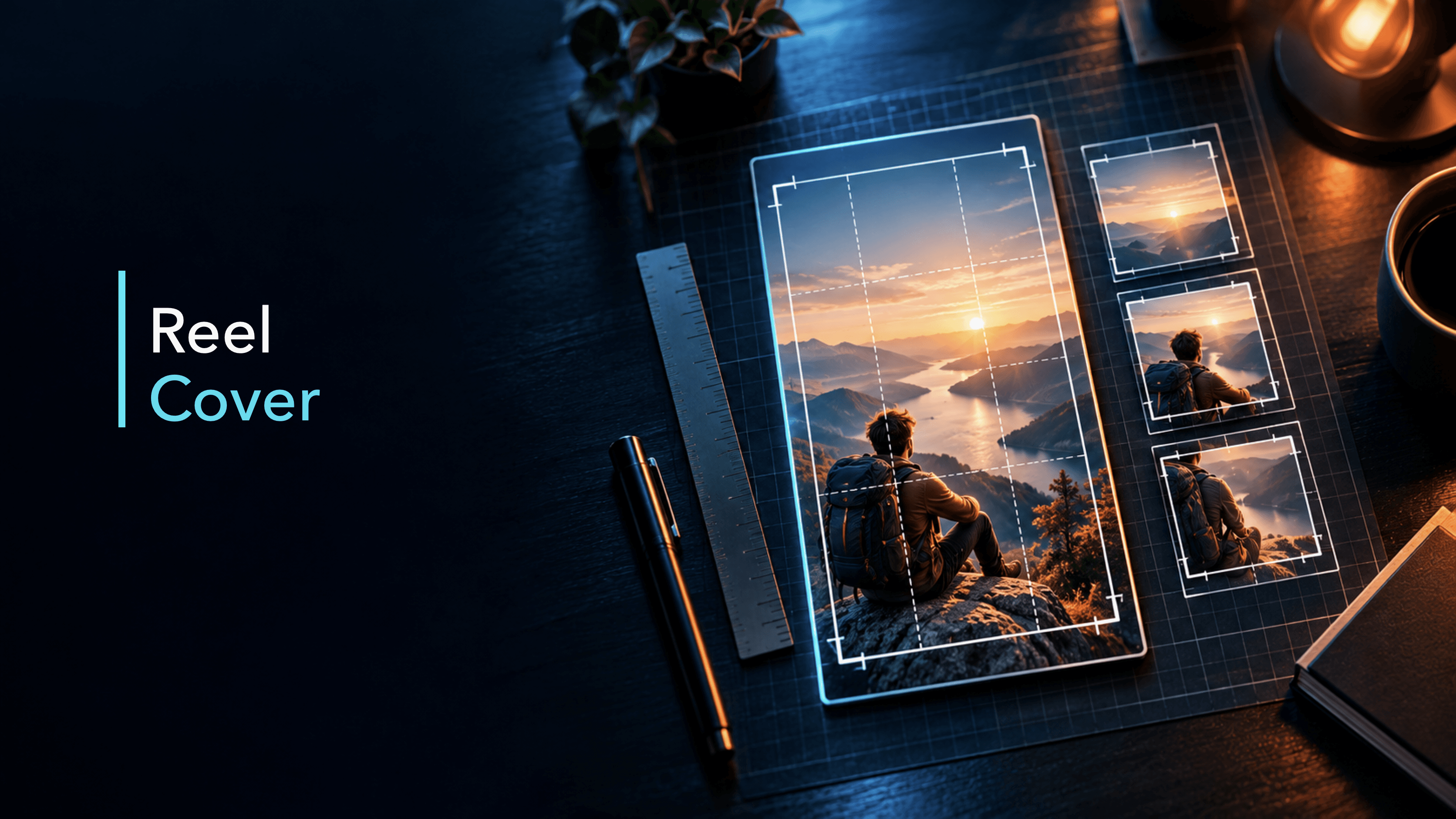
Use 1080 × 1920 pixels as a practical 9:16 starting canvas for a custom Reel cover. This matches the vertical shape used for Reels and leaves room to design the full-screen version before checking smaller crops.
The exact number is less important than the workflow around it:
Design the full vertical canvas.
Keep the title, face, product, or other identifying subject near the center.
Open Instagram’s cover editor and switch to the Profile grid view.
Adjust the crop so the important information is still visible.
Check the cover at the size a person will actually see it.
Meta’s Reels advertising guidance also emphasizes a vertical 9:16 format and keeping key creative elements inside a safe zone. That is useful production guidance, but an ad-placement recommendation is not proof that a particular organic cover will perform better.
How to use the Instagram Reel cover safe zone
There is no single permanent safe-zone overlay that replaces checking the current app. Instead, think in terms of a central content area:
Put the main title and subject away from the extreme top and bottom.
Keep important words away from the far left and right edges.
Leave enough breathing room for a crop without cutting through a face, product, or key label.
If the cover has a small badge or episode number, treat it as optional information that can disappear without breaking the design.
The Profile grid preview is the decisive check because it shows how the cover is framed in that surface. A design that looks balanced in the full 9:16 canvas can feel awkward when the grid crop removes its top or bottom. Move the image inside the preview until the essential subject remains clear.
Five principles for a readable Reel cover
1. Give the cover one job
Choose one promise or topic. “Three lighting fixes” is easier to scan than a sentence that lists lighting, editing, hooks, captions, and hashtags. The rest of the value belongs in the Reel and caption.
2. Use a short, high-contrast label
At thumbnail size, long text becomes decoration. Use a few words in a large, regular-weight typeface with strong contrast. A simple hierarchy usually works better than several font styles: one topic line, one supporting line, and a clear visual subject.
3. Show the subject, not generic decoration
Use a frame or image that makes the topic concrete: a product in use, a before-and-after state, a person demonstrating a step, or a recognizable visual from the tutorial. Avoid a random attractive frame that tells the viewer nothing.
4. Design for the crop, then verify it
Do not assume that a 9:16 composition will appear unchanged everywhere. Instagram’s cover workflow has included separate cover and Profile grid adjustments. Use them. If the title only works when every pixel of the full canvas is visible, it is too fragile.
5. Match the cover to the actual Reel
The cover should set a fair expectation. If the video teaches a caption workflow, do not use a cover that implies a complete growth formula. If the Reel shows one product use case, do not present it as proof of universal results.
How to add or choose an Instagram Reel cover
The exact labels can move, but the workflow is generally:
Create or upload the Reel.
Open the Edit cover or cover-photo control before sharing.
Choose a frame from the video or add a custom image from your camera roll when that option is available.
Inspect the full cover and then switch to Profile grid.
Drag or adjust the crop so the subject and title remain legible.
Return to the share screen and review the caption, audience, and other publishing settings.
After publishing, check the profile presentation on the device and account you actually use.
Some accounts also expose an edit-cover flow after a Reel is live. Treat that as a current product behavior rather than an eternal guarantee; if the control is missing, prepare the cover before publishing or consult Instagram’s current help documentation.
Common Instagram Reel cover mistakes
Putting the title at the edge
The title may look stylish on the full canvas but disappear in a profile crop. Move it inward and use the grid preview.
Using tiny text to fit too much context
A cover is not a transcript. Reduce the message to the topic and let the Reel or caption carry the explanation.
Picking a frame that has no visual payoff
A blurry transition or an unhelpful pause can make a useful Reel look unfinished. Pick a frame that represents the action, object, or result the viewer should expect.
Treating the cover as an algorithm shortcut
There is no supported universal formula that turns a cover into guaranteed distribution. Review the whole creative package: topic, opening, structure, pacing, clarity, audience fit, and the context in which the Reel was shared.
Confusing a cover with a thumbnail downloader
Designing a cover means choosing and packaging the representation of your own Reel. An Instagram thumbnail downloader is a separate extraction workflow for obtaining an available image from a public source. One does not replace the other, and downloading another creator’s asset does not give you permission to reuse it.
A quick Reel cover checklist
Before you share, ask:
Is the working file vertical and clear at 1080 × 1920?
Can someone understand the topic from a few words and one visual subject?
Are the title and subject inside a comfortable central crop-safe area?
Did I inspect the Profile grid preview rather than trusting the full canvas?
Does the cover match what the Reel actually teaches or demonstrates?
Is any claim specific, supportable, and free of guaranteed-performance language?
Would the design still make sense if a small badge or edge detail were cropped away?
ViralSnap can analyze supported public Instagram Reels and help you inspect observable hooks, scripts or transcripts, scenes, pacing, visuals, product moments, and CTA patterns when source data is available. That can help you study how a reference Reel packages its topic and then turn the observation into an original cover brief.
Use that workflow for analysis, not copying. ViralSnap does not copy a creator’s distinctive wording, footage, or assets, and it does not predict the Instagram algorithm or guarantee reach, views, retention, engagement, conversions, ROI, or revenue. The final cover still needs human review for product truth, audience fit, rights, readability, and crop safety.
Use 1080 × 1920 pixels, or 9:16, as a practical working canvas. Then check the current Profile grid preview because the same cover can be cropped differently on another surface.
Should an Instagram Reel cover be a frame from the video?
It can be. A frame is convenient when it clearly represents the Reel. A separate designed image can be more readable when the video frames are busy, blurry, or missing a clear topic cue.
Does an Instagram Reel cover increase views?
No cover design can guarantee views or reach. A clear cover can make the topic easier to understand and a profile easier to scan, but performance depends on many factors beyond the cover.
Can I change a Reel cover after posting?
Some Instagram surfaces and accounts provide an edit-cover option after publishing, but the controls can change. Check the current app. When possible, choose and crop the cover before sharing so you can review the complete publishing flow.
What should be inside the Reel cover safe zone?
Keep the title, face, product, and main visual cue near the center with comfortable space around them. Use the Profile grid preview to confirm that the crop does not remove the information a viewer needs.
Analyze hooks, pacing, scenes, and storytelling patterns with AI.